Table of Contents
GitHub Copilot in Microsoft Teams: What It Does, Who Gets It, and How to Turn It On
The new GitHub app in Teams looks like a chatbot wrapper. It isn't one. @mention @GitHub in a channel and nobody is on the other end to chat with, you're handing a one-shot task to Copilot's cloud agent, the same async worker behind Copilot's PR-review flow, and the only reply you get back is a pull request. GitHub shipped the consolidated app on October 23, 2026, and the legacy GitHub-for-Teams app it replaces retires November 16, per the GitHub changelog. The same day, GitHub quietly closed a different gap: a totals_by_client field in the Copilot usage metrics API that finally tells admins which tool actually sent each request, not just which IDE.
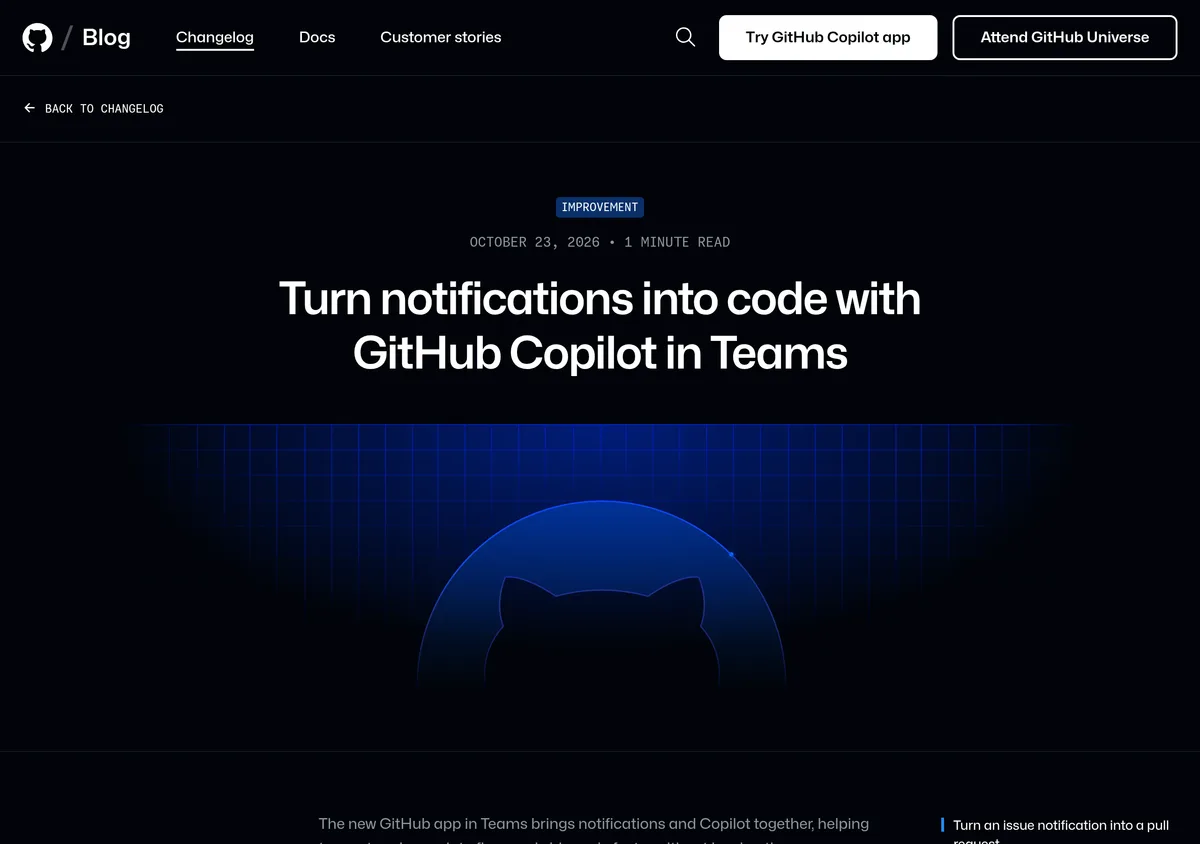 Source: github.blog, captured October 26, 2026.
Here's what each one does, what it costs, the setup steps for both, and the gotcha that will make the Teams integration look broken for most org members on day one.
What the Teams integration actually does
The new app is not GitHub's old notifications bot with a chat window bolted on. It's a thin routing layer in front of Copilot's cloud agent, the asynchronous worker that already handles Copilot's PR review and issue triage. The flow, per GitHub's docs on integrating cloud agent with Teams:
- A bug report, feature request, or just a Slack-style gripe lands in a Teams channel or chat.
- Someone types
@GitHub, describes the task, and hits send. - The cloud agent reads the thread for context, picks a default repository (or the one named in the prompt), writes the fix, and opens a pull request.
- The team reviews and merges from GitHub as normal. Nobody left Teams to make it happen.
There's no back-and-forth. You don't get to interrupt the agent mid-thought the way you'd steer a Copilot Chat session in VS Code. One task description in, one PR out, and your only feedback channel after that is the PR review itself. Treat the mention like a work order, not a conversation, and it behaves the way you'd expect.
What's actually new here isn't the cloud agent (that's been reachable from Teams since September 2025). It's the consolidation: GitHub merged its notifications app and the Copilot-in-Teams app into one install, under one name, and retired the old one. If your org already had the legacy app, update it or the mention stops working on November 16.
Who gets it, and what it actually costs
The brief version floating around after launch is "it's a Business/Enterprise admin feature." That's half right, and the half that's wrong matters if you're a solo Pro subscriber.
Copilot cloud agent ships with every paid individual plan, Pro ($10/month) and up, not just the team tiers, per GitHub's current plans comparison. Free is limited to auto-selected models with no cloud agent access.
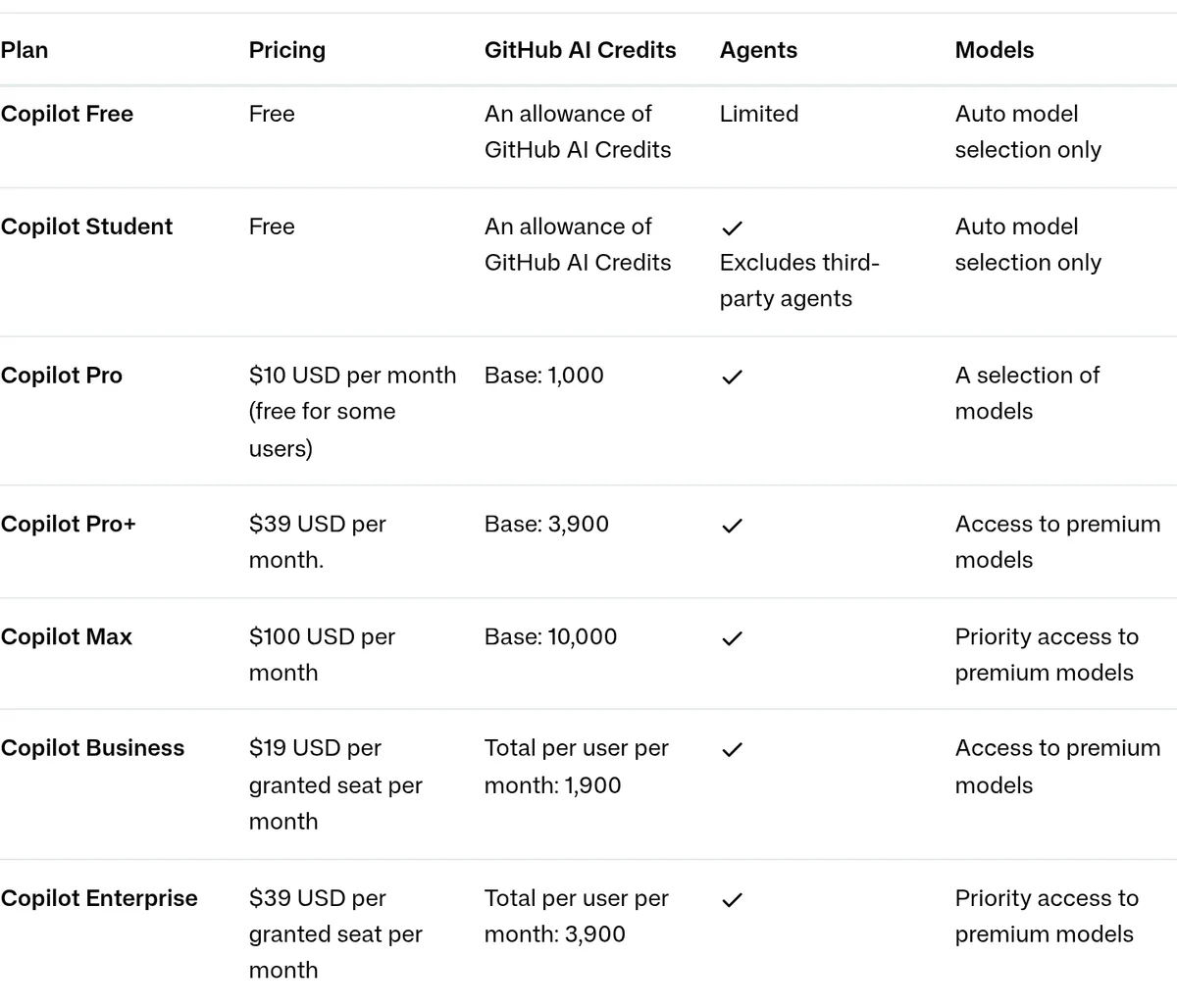 Source: docs.github.com, captured October 26, 2026.
| Plan | Price | Cloud agent | Teams integration works | Who flips it on |
|---|---|---|---|---|
| Free | $0 | No | No | N/A |
| Pro | $10/mo | Yes | Yes, individually | You, in your own Copilot settings |
| Pro+ / Max | $39-$100/mo | Yes | Yes, individually | You |
| Business | $19/seat/mo | Yes (policy-gated) | Only after an admin enables it | Org owner, under Settings > Sandboxes |
| Enterprise | $39/seat/mo | Yes (policy-gated) | Only after an admin enables it | Enterprise owner, under Policies > Sandboxes |
Source: GitHub Copilot plans doc (pricing, agent access) and the cloud sandbox enablement doc (policy ownership).
So a solo developer on Pro can install the Teams app this afternoon and have it working in ten minutes. A developer inside a Business or Enterprise org can install the exact same app and get nothing, not an error, just silence, until an organization or enterprise owner turns on a policy that GitHub ships disabled by default. That default is the detail most writeups skip, and it's the one that will generate the most support tickets.
The totals_by_client usage-metrics field is scoped differently. It only shows up in enterprise, organization, enterprise-user, and organization-user reports, which means it's a Business or Enterprise thing by definition (individual Pro accounts don't have an "organization" report to query). Pulling it also requires the View Copilot Metrics permission and an enabled usage-metrics policy, per the GitHub changelog.
How to turn on Copilot in Teams, step by step
If you're an individual on Pro, Pro+, or Max:
- Open the GitHub app installation link in a browser. It launches Teams and the install dialog.
- Click Add to the team or chat where you want it.
- Type
@GitHubin a thread, follow the prompt to connect your GitHub account, and set a default repository if asked. - Test it:
@GitHub helplists what the agent can do in that thread.
If you're an org owner and your members report the mention doing nothing:
- Go to your organization's Settings, then Sandboxes in the left sidebar under "Code, planning, and automation."
- Under "Cloud sandbox access," switch it from Disabled to Enabled.
- Click Save. That's also the Copilot cloud agent policy; the two share one toggle.
- For an enterprise managing multiple orgs, the equivalent lives under your enterprise's Policies > Sandboxes, with a third option: "Let organizations enable (opt-in)" instead of forcing it everywhere at once.
If you're pulling the new usage field:
# Org owners/billing managers need a token with the
# Copilot Metrics permission and the usage-metrics policy enabled.
curl -L \
  -H "Accept: application/vnd.github+json" \
  -H "Authorization: Bearer <YOUR_TOKEN>" \
  -H "X-GitHub-Api-Version: 2026-03-10" \
  "https://api.github.com/orgs/<ORG>/copilot/metrics/reports/organization-1-day?day=<YYYY-MM-DD>"
That call returns download_links to signed NDJSON report files, not the metrics inline, per the Copilot usage metrics API docs. Fetch one of those links and each row in the report now carries a totals_by_client array, with one entry per tool, tagged opencode, claude_code, codex, zed, copilot_cli, github_app, cloud_agent, code_review, vscode, jetbrains, or other for anything unrecognized, each with its own request_count, session_count, and token_usage. If your team has quietly started routing Claude Code or OpenCode through a Copilot-backed endpoint, this is the first place that shows up in billing, rather than as a surprise on the invoice.
Limits worth knowing before you rely on this
- It's one-shot, not interactive. No mid-task corrections. A vague prompt produces a PR that misses the point, and your only recourse is a new mention, not a follow-up message the agent will read as a correction to the first one.
- Write access gates who can trigger it. Only users with write permission to the target repository, your default or one named in the prompt, can get the agent to actually act, per GitHub's integration docs.
- The policy default is "off," full stop. Cloud sandbox access is disabled for every new organization and every enterprise out of the box. An admin has to find Settings > Sandboxes before anyone on a managed team gets value from this.
- Client identification is best-effort. GitHub's own docs flag that the new
clientfield in usage metrics is based on the integration ID each request sends, not a verified identity, so treat it as a strong signal for governance conversations, not a forensic audit trail. - Copilot code review and cloud agent jobs report oddly in the metrics. Both show up as
product_selectedbecause the product picks the model, and code review's model field reports asunknownrather than naming anything.
Alternatives already in the field
Cursor beat GitHub to the exact same mechanism by more than five months: @Cursor shipped a native Microsoft Teams app on May 11, 2026, also backed by a cloud agent that reads a thread and opens a PR, with no interactive turn either. If your team is already standardized on Cursor, there's no reason to add a second @mention habit just because GitHub finally has one too.
Slack hasn't gotten the consolidated treatment yet. GitHub's existing Copilot-for-Slack integration still runs on the older, more limited notification model, so if your team lives in Slack rather than Teams, this specific upgrade doesn't reach you yet. Watch the changelog; GitHub's pattern this year has been to ship one chat platform first and follow with the other inside a quarter.
The verdict
If you're a solo developer or small team already on GitHub Copilot Pro or higher and your team lives in Teams, install the app today. It costs nothing beyond your existing subscription and the setup is ten minutes.
If you manage a Business or Enterprise org, don't wait for a support ticket to discover the policy default. Flip Settings > Sandboxes now, decide deliberately whether you want it enabled org-wide or opt-in per team, and pull a totals_by_client report before your next budget review, since it's the cleanest read yet on whether Copilot is actually the model provider behind tools your team adopted without telling you.
If your team is standardized on Cursor instead, the Teams integration gives you no reason to switch; you already have the same capability, and it's had five more months to mature.