Table of Contents
GitHub AI Scan ships bulk mode: rollout steps, cost, and the limits
Security teams running AI Scan across a few hundred repositories had been clicking one scan button at a time, repo by repo, with no bulk option at all. On November 16, 2026, GitHub removed that tax. An organization owner can now start AI Scan for up to 20 repositories in a single action, and a new REST API setting lets you script the rollout instead of clicking through settings pages one repo at a time (GitHub Changelog, Nov 16, 2026). A Copilot license still isn't required to run it. The budget behind it is the part worth slowing down for.
AI Scan draws on a metered Code Security AI credit pool that's separate from your GitHub Advanced Security seats, and that pool has per-scan caps GitHub doesn't put on the feature announcement. Flip the org-level switch before you've set a budget ceiling, and the first bulk run across your riskiest repos can chew through included credits faster than you'd expect. Here's what bulk mode actually changes, who's eligible, the real cost math, how to turn it on three different ways, and two governance changes GitHub shipped the same day that are worth knowing about even if AI Scan isn't on your list this quarter.
What bulk AI Scan actually does
AI Scan for repositories is GitHub's agentic scanner, and it's a different animal from CodeQL. It runs a proprietary harness that calls on multiple models to look for vulnerabilities on your repository's default branch, and it covers every language, not just the ones CodeQL supports (GitHub Docs, AI Scan for repositories). Findings land in the same code scanning backlog as CodeQL alerts, so autofix, security campaigns, and issue linking all keep working the way they already do.
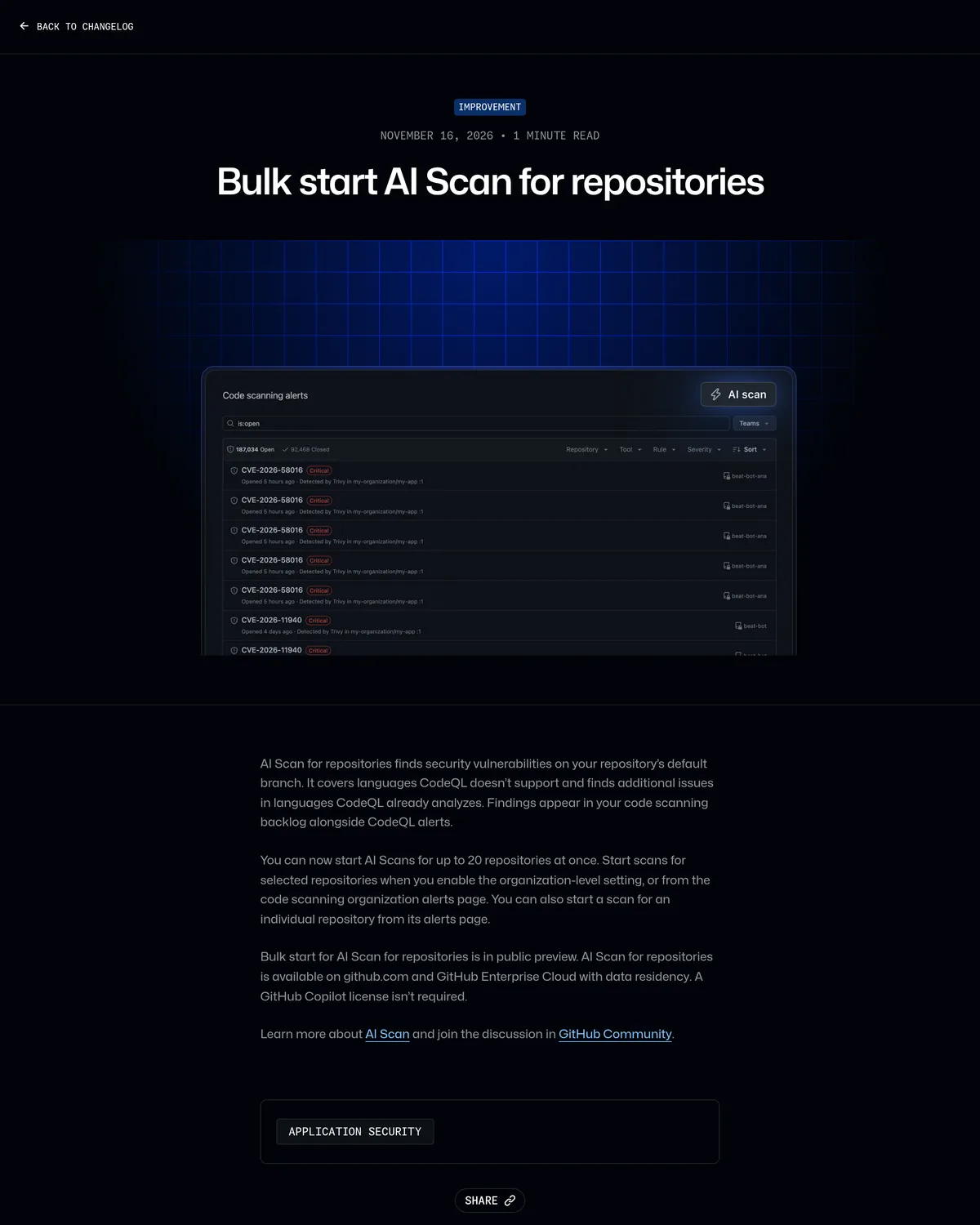
Before November 16, triggering a scan meant visiting one repository's alerts page at a time, or flipping the org-level setting and still clicking through repos individually. Bulk start changes the unit of action: from the code scanning organization alerts page, an org owner or security manager can select repositories and kick off AI Scan for up to 20 of them in one go. It's in public preview, and it's available on github.com and GitHub Enterprise Cloud with data residency (GitHub Changelog).
One mechanism detail that matters for planning: the agent doesn't read every file in a repo. It searches the codebase, selects files and functions worth examining, and runs within a time budget, stopping and reporting findings once that budget is spent (GitHub Docs). Bulk mode is 20 independently time-boxed scans, not one scan stretched thin across 20 codebases.
Who gets it, and what it actually costs
Eligibility depends on who owns the repo and how visible it is.
| Repository owner | Visibility | What you need |
|---|---|---|
| Organization | Public | Nothing extra; available without an active-committer license |
| Organization | Private or internal | GitHub Code Security or GitHub Advanced Security |
| Personal account | Public | Available |
| Personal account | Private | Not available |
Source: GitHub Docs, AI Scan for repositories.
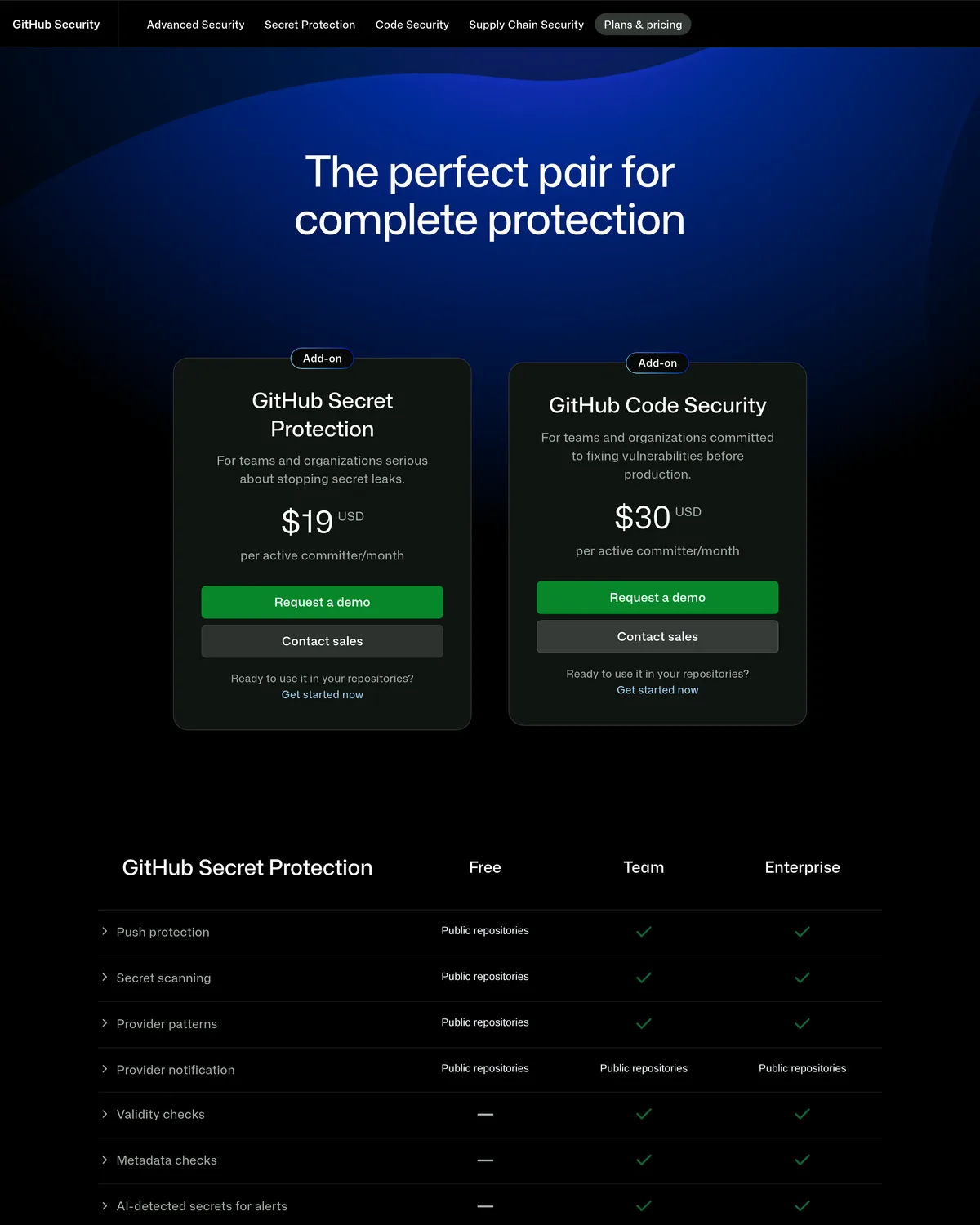
No GitHub Copilot license is required anywhere in that table. What you do need, for any private or internal repo, is GitHub Code Security, the Advanced Security add-on SKU that also carries code scanning and premium Dependabot features. It lists at $30 per active committer per month (GitHub, Plans & pricing); the sibling Secret Protection SKU is $19. Public repos get the core feature set free.
Source: GitHub Plans & pricing, captured November 17, 2026.
The committer seat isn't the part that bites. Running a scan, bulk or not, spends Code Security AI credits, a usage-metered pool separate from the per-committer license. If your billing account already has included AI credits from a Copilot entitlement, eligible usage draws down that allowance first; once it's gone, further usage is metered against whatever budget you've configured (GitHub Docs, Advanced Security license billing). Each individual scan is capped at 30 minutes and 150,000 AI credits, so the ceiling on a single bulk-start action is 20 scans, each independently able to burn that limit (same source). GitHub doesn't publish a credits-to-dollars rate on that page, which is exactly why the next sentence matters: set a hard budget in your billing settings before an admin enables this broadly, not after.
Turning it on: three levers, in order
Three separate switches gate AI Scan, and missing one means the next one does nothing.
| Level | Who controls it | Default | What it does |
|---|---|---|---|
| Enterprise | Enterprise owners | Not allowed | Permits or blocks the whole feature for every org underneath |
| Organization | Org owners, security managers | Off | Enables AI Scan for eligible repos; repos inherit the setting |
| Repository | Repo admins | Inherits org setting | Can opt out if org enabled it; cannot opt in if org disabled it |
An enterprise policy set to "Not allowed" blocks every org below it regardless of what an org owner clicks. Flip that first, in enterprise policy settings, before anything else works (GitHub Docs).
Once the enterprise allows it, an org owner or security manager enables AI Scan for repositories from the organization's security settings. That makes eligible repos scan-eligible; it does not start a scan by itself. From there, the bulk picker on the code scanning organization alerts page is where up to 20 repos get selected and started together. A repo admin can still opt that one repo out after the fact, but can't opt in against a disabled org setting.
For rolling this out across dozens of orgs instead of one, a REST API change landed three days earlier and is the more useful lever. A repository_scan property was added to the existing AI Scan enablement endpoints, so the setting can be read and written with scripts instead of settings pages (GitHub Changelog, Nov 13, 2026):
# Enable AI Scan for repositories at the org level. Needs admin:org, repo,
# or write:org scope (org owners can use admin:org or repo; security
# managers need write:org). Combine pr_scan in the same body if you also
# want AI Scan on pull requests, since both settings commit together or not
# at all.
curl -X PATCH \
  -H "Accept: application/vnd.github+json" \
  -H "Authorization: Bearer $GH_TOKEN" \
  https://api.github.com/orgs/ACME-ORG/code-scanning/ai-scan \
  -d '{"repository_scan": "enabled"}'

# Same shape, repository-level override:
curl -X PATCH \
  -H "Accept: application/vnd.github+json" \
  -H "Authorization: Bearer $GH_TOKEN" \
  https://api.github.com/repos/ACME-ORG/payments-service/code-scanning/ai-scan \
  -d '{"repository_scan": "enabled"}'
Source: GitHub REST API, code scanning and the Nov 13 changelog entry. Enabling the setting, through the API or the UI, still doesn't trigger a scan. A user with write access to the repo has to start one on demand, either individually or through the bulk picker.
Source: GitHub Changelog, captured November 17, 2026.
The limits worth knowing before you flip the org switch
- Scans only cover the default branch; feature branches and PRs run through the separate, narrower AI Scan for pull requests.
- Triggers are manual. No scheduled runs, no scan-on-push.
- Self-hosted runners aren't supported.
- Dedup against existing CodeQL alerts is best effort, so duplicates do happen.
- Findings can be wrong. GitHub's own guidance is to review each one before acting, not auto-triage on trust (GitHub Docs).
None of that is disqualifying. It just means bulk mode scales how many repos get scanned, not how much human review each finding still needs.
Two governance changes landed the same batch
AI Scan wasn't the only lever GitHub tightened on November 16. Enterprise admins can now set strictPluginOnlyCustomization, a managed setting that blocks standalone Copilot customizations (skills, custom agents, hooks, MCP servers, and executable extensions) from user or project sources, forcing them to come through an approved plugin instead (GitHub Changelog). You can lock down all five categories or just the ones you care about, like MCP servers, while leaving skills and agents open.
Separately, delegated Dependabot alert dismissal requests now stay open for a year instead of a week, giving reviewers far more runway before a dismissal request expires and has to be resubmitted (GitHub Changelog). Neither change needs AI Scan turned on to matter; both are worth a five-minute settings check regardless.
AI Scan against the rest of your scanning stack
CodeQL is the obvious comparison. It's already included in the same Code Security license, with no AI credit metering attached, runs on a schedule or on push, and is exhaustive within the languages it supports. AI Scan's edge is breadth: it reads languages CodeQL doesn't cover, and finds a different class of issue in the languages CodeQL already analyzes, on demand rather than continuously.
Classic Copilot Autofix is a separate feature from the newer agentic autofix, and it doesn't draw on AI credits the way AI Scan and agentic autofix do (GitHub Docs); keep those two "autofix" names straight when you're budgeting. Third-party SAST tools like Snyk or Semgrep still matter if you're not on GitHub Advanced Security at all. They skip the $30-a-committer license and GitHub's credit metering in favor of their own.
The rollout call
If you're already paying for GitHub Code Security and your repo count is in the hundreds, turning on bulk start is worth doing now. Set a hard AI credit budget first, enable AI Scan at the org level, and bulk-scan your 20 highest-risk repos before touching the rest of the catalog. You'll find out what the credit burn actually looks like against a small, chosen sample instead of your entire estate.
If you're not yet licensed for Code Security, don't buy it for AI Scan alone. Buy it for CodeQL's continuous coverage and merge protection, and treat AI Scan as the bonus that comes with the seat once the enterprise policy and the budget are both in place. And if your org runs a small number of mostly private repos, skip the REST API script entirely. The bulk picker in the UI gets you there in fewer steps than writing and testing a curl loop.