Table of Contents
GitHub Copilot Agent Merge: What It Does and How to Turn It On
A pull request stalls for one of two boring reasons almost every time: a GitHub Actions job flaked, or main moved on and now there's a conflict. Fixing either one used to mean someone noticing, clicking into the PR, and doing the work. As of October 28, 2026, Copilot does the noticing itself. Agent Merge, previously tucked inside the GitHub Copilot app and VS Code, is now built into the pull request page on GitHub.com, per the GitHub changelog. Select Watch and fix in the merge box and Copilot keeps an eye on the PR, and jumps in the moment one of those two blockers shows up.
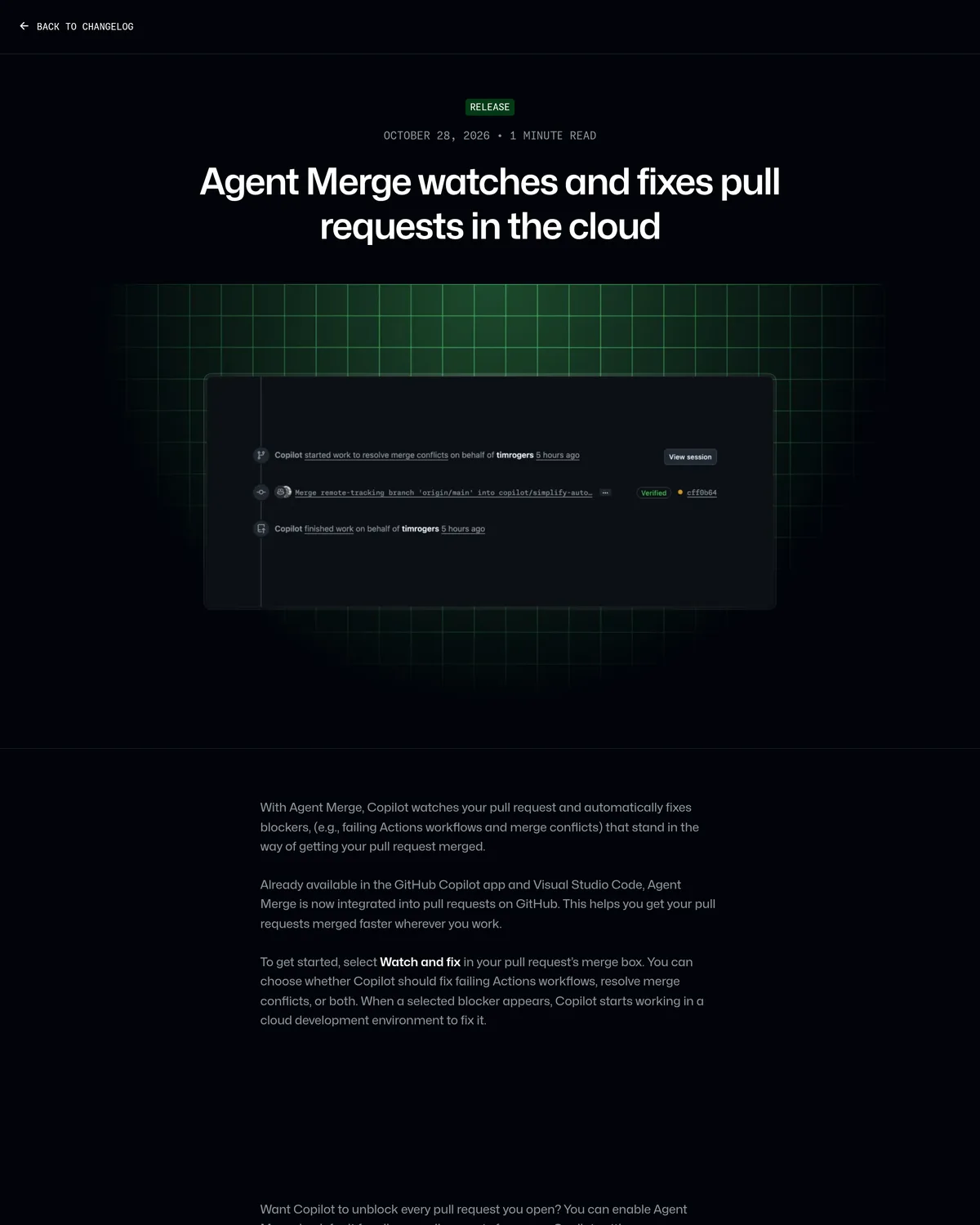 Source: github.blog, captured October 29, 2026.
That sounds like a small UI addition. It isn't, quite. GitHub already lets you fix a merge conflict in three clicks or ask @copilot to patch a failing test, both shipped earlier in 2026. Agent Merge removes the clicking and the asking: it's a standing watch, not a one-off command, and that changes who should turn it on.
What Agent Merge actually does
Agent Merge is part of Copilot in the cloud, the same async worker behind Copilot's PR review and issue-triage features, per GitHub's docs on watching and fixing pull requests. You pick which blockers it's allowed to touch:
- Fix failed Actions workflows. Copilot investigates why a job failed and pushes a fix.
- Resolve merge conflicts. Copilot reconciles the PR branch against a base branch that's moved on.
When a selected blocker appears, Copilot spins up a cloud development environment and gets to work, and the attempt shows up as a timeline event on the PR explaining why it started. It isn't a cloud sandbox; it's a GitHub Actions-based environment, so it reads your repo's copilot-setup-steps.yml, custom instructions, and agent skills the same way any other Copilot cloud task would. If those are already dialed in for Copilot's coding agent, Agent Merge inherits them for free.
What it doesn't do on GitHub.com today: touch review comments. VS Code's version of Agent Merge (preview around VS Code 1.136, per GitHub's release notes) also clears unresolved review feedback as part of its loop. The GitHub.com version is narrower, two blocker types, nothing about comments, so this isn't the fully autonomous "respond to every review note" agent yet.
How it's different from auto-merge, or just asking Copilot
Three mechanisms now sit in or near the merge box, and it's easy to conflate them. They solve different problems:
| Mechanism | Trigger | What it touches | Runs again automatically? |
|---|---|---|---|
| Auto-merge | You enable it once on a PR | Nothing; just merges when checks + reviews pass | No new action, just a standing merge order |
| Fix with Copilot (3-click button) | You click it each time a conflict appears | One merge conflict, per click | No, one-shot per invocation |
| Agent Merge (Watch and fix) | You select it once; Copilot watches continuously | Failing workflows and/or merge conflicts, every time either recurs | Yes, it's a repeating watch, not a single pass |
Auto-merge, per GitHub's docs, "merges a pull request automatically after all required reviews and status checks pass." It never fixes anything; it waits, then merges. Agent Merge sits upstream of that: it clears the blockers so the checks can pass in the first place. Combine the two, per the watch-and-fix docs, and "Copilot gets the pull request ready and keeps it ready, while GitHub merges it as soon as all requirements are met."
The three-click Fix with Copilot button, which shipped in April 2026, is the manual version of half of what Agent Merge now automates. It still works if you'd rather approve each fix yourself, but it still requires you to notice the conflict first.
Who gets it, and what it costs
Agent Merge requires a paid Copilot plan; Free is auto-model-selection only and doesn't include Copilot's cloud agent at all, per GitHub's plans comparison.
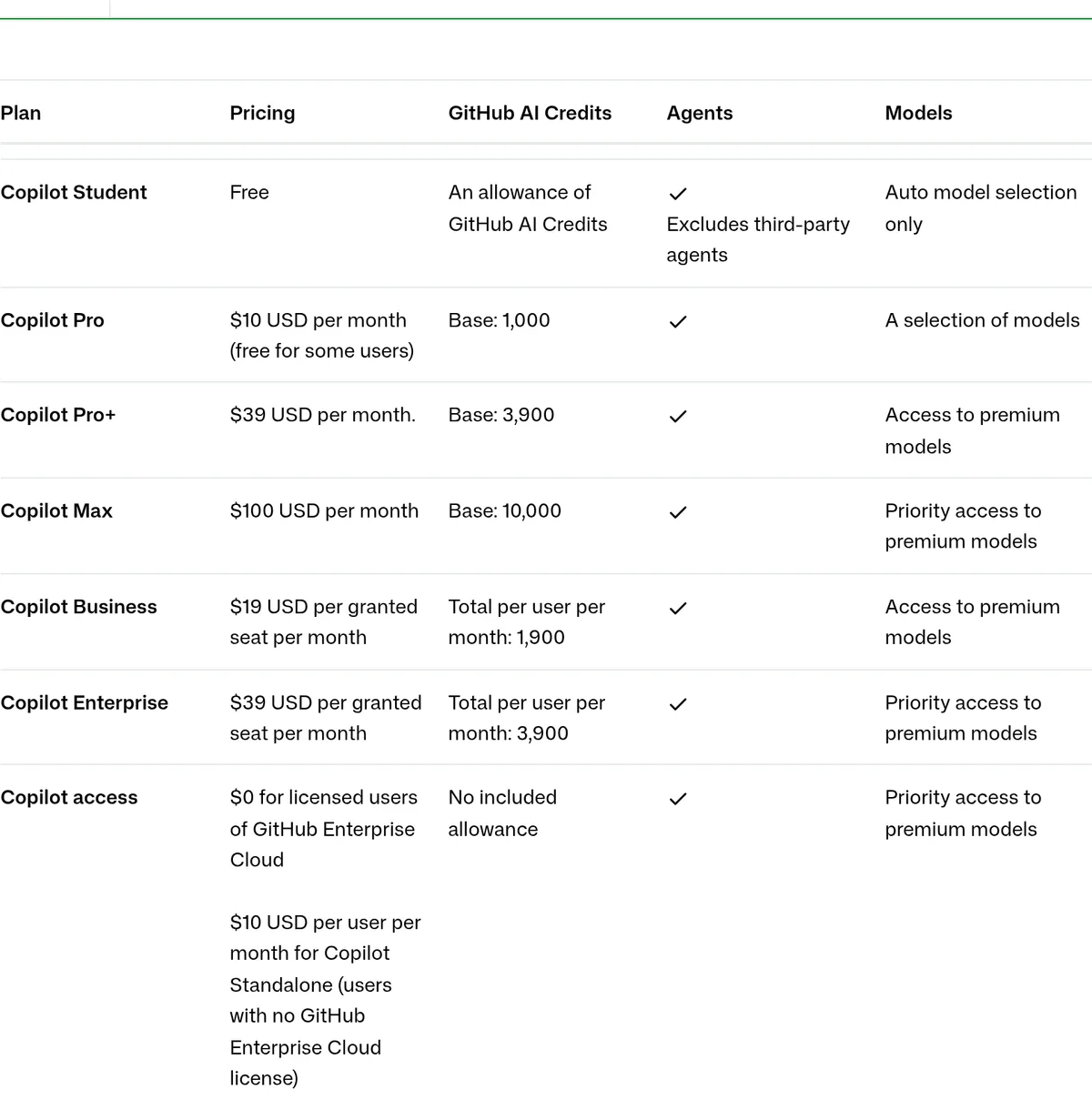 Source: docs.github.com, captured October 29, 2026.
| Plan | Price | Agent Merge works |
|---|---|---|
| Free | $0 | No, no cloud agent access |
| Pro | $10/mo | Yes, individually |
| Pro+ | $39/mo | Yes, individually |
| Max | $100/mo | Yes, individually |
| Business | $19/seat/mo | Yes, subject to org policy |
| Enterprise | $39/seat/mo | Yes, subject to enterprise policy |
A solo developer on Pro can turn this on this afternoon. An org on Business or Enterprise needs two gates cleared first: the organization or enterprise's Copilot-in-the-cloud policy has to allow it, and the repository's Enable automations Copilot policy has to be switched on. Neither is Agent Merge-specific; they're the same gates that already cover Copilot's cloud agent generally. If your team already uses that agent for anything else, you've likely cleared both.
How to turn on Watch and fix, step by step
Enable it on one pull request:
- Open the pull request you want Copilot to watch.
- In the merge box, click Watch and fix.
- Choose the actions: Fix failed Actions workflows, Resolve merge conflicts, or both.
- Copilot starts a cloud dev environment the moment a selected blocker appears; the attempt lands as a PR timeline event.
Enable it by default for every PR you open:
- Click your profile picture, then Settings.
- Under Copilot in the sidebar, click Cloud.
- Select Enable Agent Merge automatically for pull requests I create.
- Flip the two action switches for whichever blockers you want handled by default.
Turn it off for a specific PR: open the pull request, then click Unassign Copilot in the merge box.
Stack it with auto-merge so GitHub merges the instant every requirement passes: enable auto-merge on the PR as usual (see GitHub's auto-merge docs), separately from turning on Watch and fix. The two toggles are independent; neither one flips the other on.
Limits worth knowing before you rely on this
- No forks, no stacked PRs. Agent Merge doesn't support pull requests opened from a fork or stacked pull-request chains, per the docs' prerequisites section.
- Billing follows whoever flipped the switch. AI credits for Agent Merge's work are charged to the person who enabled it on that PR, not necessarily the PR's author, per the docs' usage-and-billing section. On a team, that's worth a heads-up before someone's personal allowance quietly covers everyone else's conflict cleanup.
- It only touches what you selected. No review comments, no unrelated code changes, just the two blocker types you chose.
- The review gap shows up when you stack it with auto-merge. GitHub's docs say Agent Merge "does not remove the need for human review," which is true in isolation. But GitHub only dismisses stale approvals on a new push when a repo has Dismiss stale pull request approvals when new commits are pushed turned on in branch protection, per GitHub's branch-protection docs, and that setting is opt-in. Skip it, arm auto-merge, and a conflict-resolution push from Copilot can clear the way for a merge nobody re-reviewed after the agent touched the branch. Combining the two means turning that setting on first.
Alternatives already in the field
Cursor's cloud agent reaches a Teams thread the same way Copilot's does, opening a PR from a mentioned task, but it's triggered per message, not a standing watcher the way Agent Merge is. If your team already lives on Cursor for PR automation, that's not a reason to switch, just a reason to notice GitHub closed a gap Cursor never had in the first place.
Inside GitHub's own stack, the manual alternative still works: mention @copilot in a PR comment ("Fix the failing tests" or "Merge in main and resolve the conflicts") and Copilot's cloud agent does a one-shot pass, per GitHub's cloud agent docs. That's the better call if you want to approve each fix individually rather than hand Copilot a standing mandate.
The verdict
If you're a solo developer or a small team on Copilot Pro and tired of babysitting flaky CI, turn on Watch and fix today. The setup is two clicks and it costs nothing beyond the subscription you already have.
If you manage a Business or Enterprise org and plan to pair this with auto-merge, check branch protection first: confirm Dismiss stale pull request approvals when new commits are pushed is on before letting Copilot's fixes and auto-merge run unattended together, or you've built a path for an agent's push to reach production unreviewed. Flip Enable automations at the repo level once that's settled.
If your workflow depends on review-comment automation, not just CI and conflicts, this isn't there yet on GitHub.com; VS Code's broader version is the one to watch instead.