Table of Contents
Manage GitHub Copilot seats with a GitHub App instead of a personal token
Most enterprises that script Copilot seat assignment today glue that script to one admin's personal access token. That admin changes roles, gets offboarded, or rotates credentials during a security review, and the automation goes dark with no warning until a new hire complains they never got a seat. On November 10, 2026, GitHub closed the actual hole: enterprise owners can now run the Copilot seat APIs through a GitHub App instead of a human's token, per the changelog entry "GitHub App support for Enterprise Copilot seat management".
By the end of this guide you'll know the exact permission to grant, which four endpoints it unlocks, where the new flow still falls short of the console, and whether it's worth migrating a working personal-token script to it this quarter or waiting.
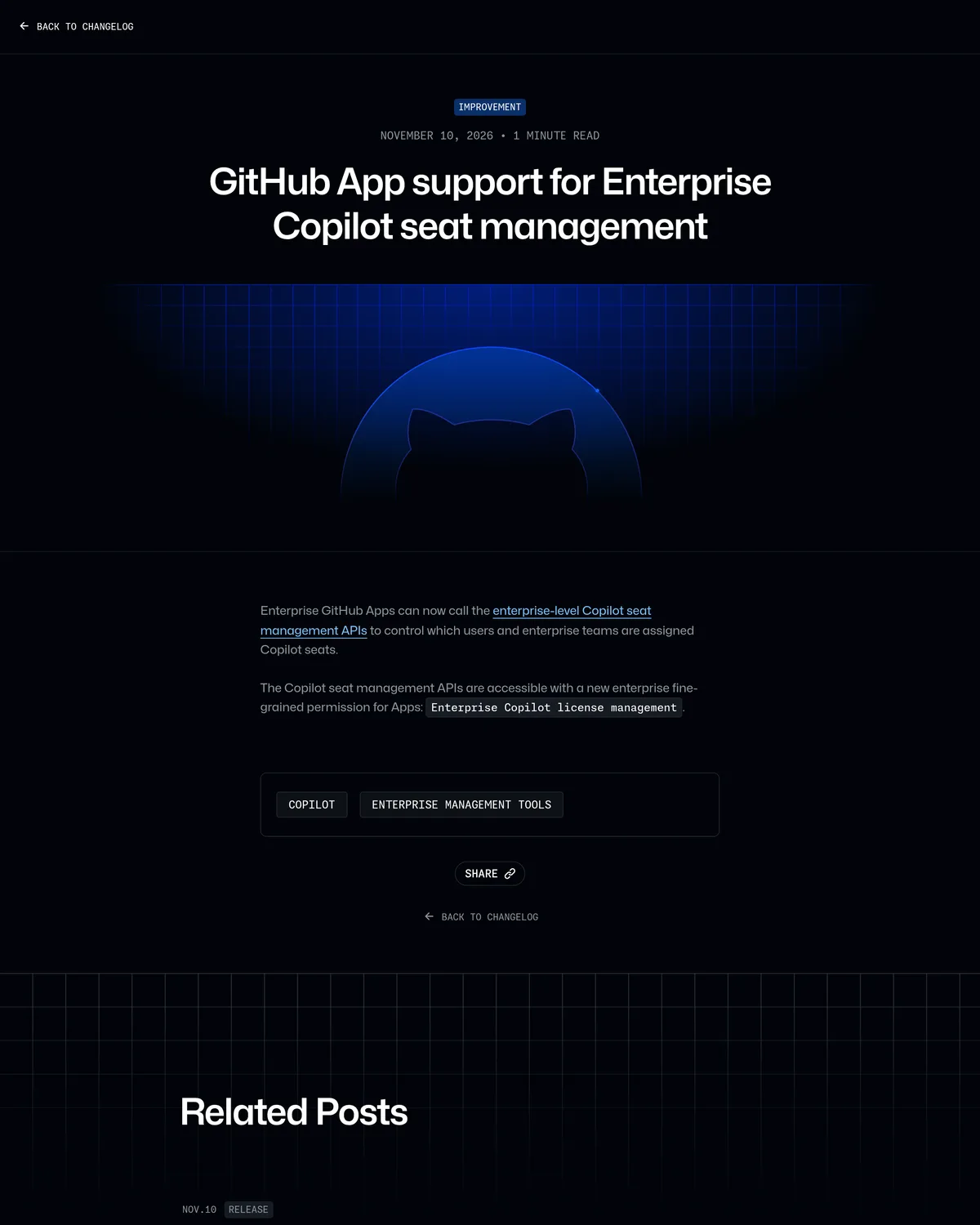 Source: github.blog, captured November 13, 2026.
What actually changed
"Enterprise GitHub Apps can now call the enterprise-level Copilot seat management APIs ... to control which users and enterprise teams are assigned Copilot seats," per the changelog post above. The new fine-grained permission is literally called Enterprise Copilot license management, and before November 10 it did not exist.
Here's the part the changelog doesn't spell out. Before this release, exactly two token types could call /enterprises/{enterprise}/copilot/billing/*: a classic personal access token carrying the manage_billing:copilot or admin:enterprise scope, or nothing. Fine-grained personal access tokens, the scoped-down PAT type GitHub has spent two years pushing everyone toward, were never wired to this endpoint. Pull up GitHub's permissions reference and the token-types column for every write endpoint lists only a GitHub App user access token or a GitHub App installation access token, never a fine-grained PAT. So the real gap this release fills isn't "admins couldn't automate this." They could, with a classic token. It's that the only automation option carried enterprise-admin-wide blast radius tied to one person's login, with no narrower alternative until now.
Who gets it and what it costs
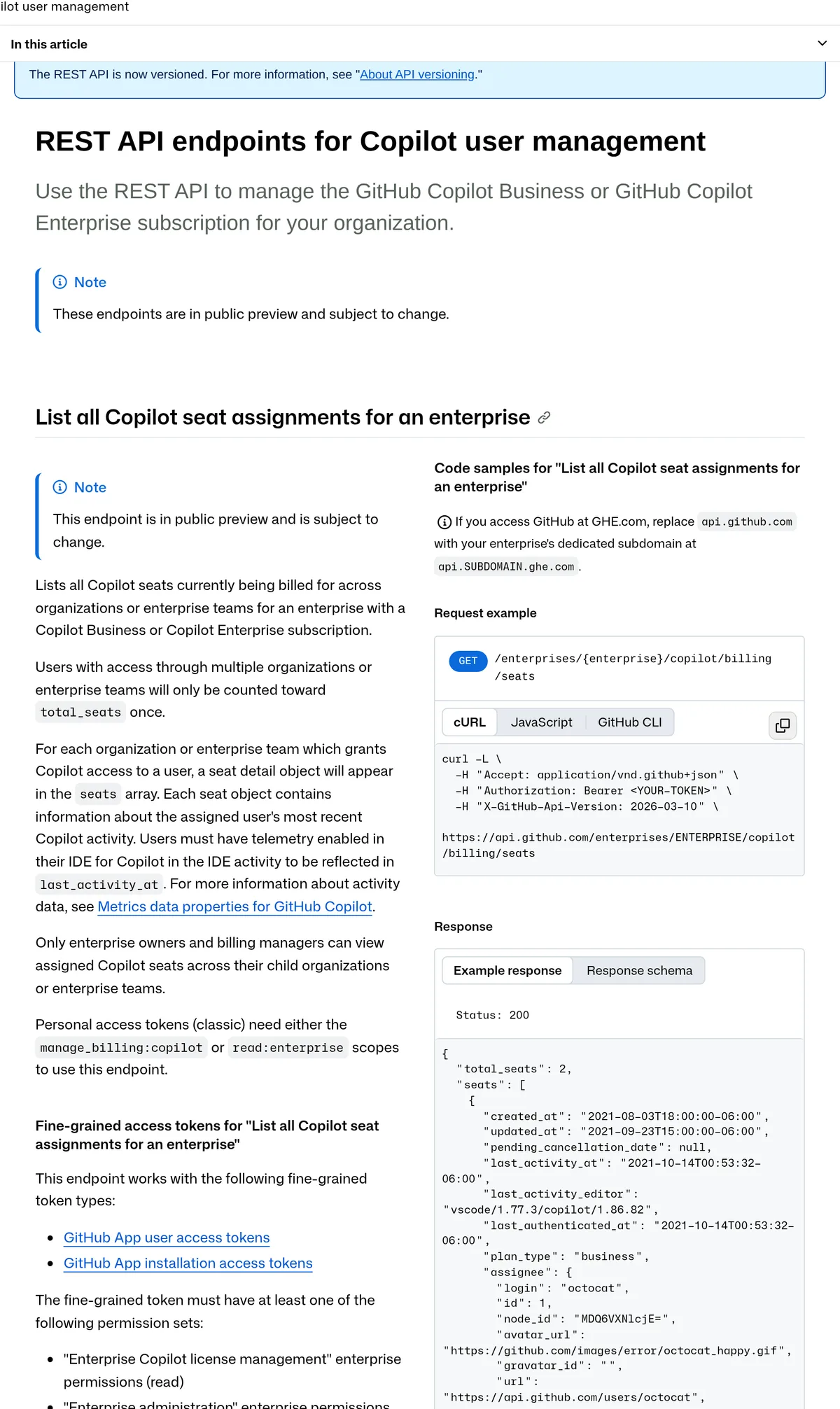
The seat APIs cover any enterprise with a Copilot Business or Copilot Enterprise subscription; only enterprise owners can purchase or cancel seats through them, per the docs shown above. The capability itself adds no new charge. Registering and installing a GitHub App is free, and the permission rides on billing you're already paying for.
One distinction matters here, because GitHub shipped a second, unrelated Copilot change just two weeks earlier. On October 28, 2026, GitHub folded Copilot directly into every licensed GitHub Enterprise seat, replacing the old per-seat allowance with usage metered against the enterprise's own AI budget (our coverage). In that bundled model there's no seat list to manage: every licensed user already has access. The App-based endpoints in this guide apply to the older, still-live Copilot Business and Copilot Enterprise subscription model, where an admin decides who's in and who isn't. If your org already moved to the bundled license, this whole guide doesn't apply to you yet.
The token that doesn't quit when someone does
| Personal access token (classic) | GitHub App | |
|---|---|---|
| Who owns it | One human's GitHub account | The enterprise account |
| Accepted by the seat APIs | Yes, classic only; fine-grained PATs are not listed as a supported token type | Yes, via installation or user access token |
| What happens when the owner leaves | Token dies with the account; automation stops silently | Installation token keeps minting; nothing changes |
| Scope | manage_billing:copilot or admin:enterprise, both enterprise-wide | "Enterprise Copilot license management," read or write, nothing broader |
| Token lifetime | Indefinite until someone rotates it by hand | About an hour, reissued automatically by your code |
| Shows up in the audit log as | The admin's own user action | The app's action, separate from any one employee |
The row that should decide this for most teams is the second-to-last one. A classic PAT with admin:enterprise can touch billing, SSO policy, and every org in the enterprise. The new permission narrows that to exactly one thing: Copilot seats.
Wiring it up
- Register the app at the enterprise level, not the org level. Enterprise settings has its own GitHub Apps section; GitHub documents the flow in Creating GitHub Apps for your enterprise. Only enterprise owners can do this step.
- Grant the permission. On the registration form, find the Enterprise permissions section (separate from the usual repo and org permission checklist, and easy to scroll past) and set "Enterprise Copilot license management" to Write if you need to add or remove seats, Read if you only need to list them.
- Generate a private key for the app and note the app ID. Both live on the app's settings page after registration.
- Install the app on your enterprise from the same settings area.
- Exchange credentials for a token in code, then call the seat endpoints.
// generate a short-lived installation access token
import { createAppAuth } from "@octokit/auth-app";

const auth = createAppAuth({
  appId: process.env.GH_APP_ID,
  privateKey: process.env.GH_APP_PRIVATE_KEY,
  installationId: process.env.GH_APP_INSTALLATION_ID,
});

const { token } = await auth({ type: "installation" });
# list current seats (needs the permission set to Read)
curl -s \
-H "Accept: application/vnd.github+json" \
-H "Authorization: Bearer $INSTALLATION_TOKEN" \
-H "X-GitHub-Api-Version: 2026-03-10" \
"https://api.github.com/enterprises/ACME/copilot/billing/seats" | jq '.total_seats'# grant three users a seat (needs the permission set to Write)
curl -s -X POST \
-H "Accept: application/vnd.github+json" \
-H "Authorization: Bearer $INSTALLATION_TOKEN" \
-H "X-GitHub-Api-Version: 2026-03-10" \
"https://api.github.com/enterprises/ACME/copilot/billing/selected_users" \
-d '{"selected_usernames":["lee-k","priya-n","octocat"]}'Input: three usernames on a staffing-system export. Command: the POST above. Expected output, per GitHub's documented response schema: {"seats_created": 3}. Run the same shape against selected_enterprise_teams with a list of enterprise team names instead of usernames if you provision by team rather than by individual.
Where this still falls short of the console
Four limits are worth knowing before you build on this.
- Public preview, not stable. Every one of these endpoints, list included, carries a "subject to change" note in GitHub's own docs. Pin your error handling for a schema shift, not just a 500.
- No UI to audit it. There's no settings page listing which installed GitHub Apps hold the Copilot license-management permission; you confirm that through the API or the app's permission page, not a dashboard column.
- Teams must already exist. The
selected_enterprise_teamsendpoint assigns seats to enterprise teams that are already synced, usually via SCIM from an IdP. It doesn't create the team mapping for you. - One policy gate blocks everything. Every call 422s if Copilot Business isn't enabled, billing isn't configured, or the enterprise never set a public code suggestions policy, regardless of which token type called it.
The alternatives, and when they're still the right call
The console. Enterprise settings, Copilot, add or remove by hand. Fine under roughly fifty seats with low churn. Painful the moment onboarding becomes a weekly batch.
A classic PAT script. Still works today on the same four endpoints, and GitHub hasn't signaled it's pulling admin:enterprise or manage_billing:copilot support. It's what most admins already have running. It's just no longer the only way to avoid clicking through the console by hand.
SCIM-driven enterprise teams. Map an Okta or Entra group to a GitHub enterprise team once, and seat assignment rides on group membership instead of a direct API call for every hire. Lowest day-to-day maintenance, slowest to set up, and it still needs one of the two methods above (or the App) to push the initial team into Copilot's selected_enterprise_teams list.
Move the automation, keep the PAT as a fallback
If you already have a PAT-backed seat script running and it works, swap the auth layer for a GitHub App over your next sprint, not this afternoon. The classic-PAT path isn't being deprecated, and these endpoints are still labeled public preview, so there's no deadline forcing the move. If you're building seat automation for the first time, start with the App; there's no reason to hand a brand-new script the blast radius of admin:enterprise when a seat-only permission already exists. And if you're managing seats by hand through the console for a few dozen people, none of this is a problem you have yet. Keep the classic-PAT path alive as a break-glass fallback either way, at least until GitHub drops the preview label.