Table of Contents
Perplexity Comet for Enterprise Just Dropped: A 30-Day Plan for Replacing Three Browser Tabs With One Agent
This article contains affiliate links. Disclosure.
The operating thesis: do not buy Comet Enterprise on a demo, and do not buy Enterprise Max. Run a 4-week, 8-to-12-person pilot on exactly three tab-heavy workflows, gate the rollout decision on one measured number in week 4 (time saved per workflow per person per week), and standardize on Enterprise Pro at $40/seat. The Max tier at $325/seat buys one thing, a user-facing model picker, and a per-team admin default on Pro removes the only reason to pay the 8x premium. The feature that actually clears enterprise procurement is not Perplexity's research quality. It is the CrowdStrike Falcon integration plus HIPAA alignment, which is the pair Atlas cannot match today. Everything below is the plan that produces that week-4 number.
What Comet Enterprise actually unlocks
The free and Pro tiers of Comet give you an AI-native browser with tab-level research, summarization, and light task automation. The Enterprise tier adds the things your IT and compliance teams will demand before you can run this on a managed fleet.
Here's what the Enterprise layer buys you on top of the base browser:
- MDM deployment. Silent installer for macOS and Windows. More than 500 Chromium-based browser policies available for central management. Your desktop team can push Comet the same way they push Chrome.
- SSO + SCIM provisioning. Existing identity provider connects directly. Deprovisioning is automatic when an employee leaves.
- Audit logs with answer capture. Enterprise Pro and Max logs record not just the queries users submit but the AI-generated answers, including the model used, the mode (research vs. task), and the sources cited. That matters for regulated industries.
- CrowdStrike Falcon integration. Runtime monitoring and data loss prevention at the device layer. CrowdStrike can block a suspicious download or screenshot attempt before Comet finishes the agentic task.
- Agent action controls. Admins can restrict Comet to read-only mode (answering questions without taking browser actions), or limit agentic actions to an approved domain list with required human approvals for anything sensitive.
- Data retention guarantees. Perplexity does not train models on enterprise data. Third-party model providers are contractually barred from retaining data sent through the browser. The plan is SOC 2 Type II, GDPR, and HIPAA aligned.
The only material difference between Enterprise Pro ($40/seat/month) and Enterprise Max ($325/seat/month) is who controls the model. Max gives the end user a toolbar picker across Claude Opus 4.6 (default), Claude Sonnet 4.5, GPT-5.4, and Gemini 3.1 Pro, swappable mid-session in two clicks. The trap is assuming you want users picking models. You do not. Per-persona output consistency and predictable credit burn both require a fixed model per workflow, which is exactly the per-team default an admin sets on Pro. So the Max premium buys a capability whose correct enterprise configuration is to disable it. The defensible case for Max is narrow: a team that genuinely needs different models for different tasks within one person's day and cannot partition that by persona. That is rare. Budget for Pro, treat Max as an exception you justify per-team, not a default.
Early customers running Comet Enterprise include Fortune, AWS, AlixPartners, and Bessemer Venture Partners, per Perplexity's March 2026 launch announcement, mostly research-heavy roles in legal, financial services, and consulting.
Pick three tab-heavy workflows worth replacing first
Pick exactly three, and pick on two hard filters: someone runs the workflow multiple times a week, and it currently needs three or more open tabs. The frequency filter is what makes the week-4 time-saved math close; the multi-tab filter is what makes a single agent prompt structurally able to replace the work. A workflow that fails either filter will not produce a measurable enough delta to defend the rollout, no matter how impressive the demo looks.
Here are three that translate cleanly to a single Comet prompt:
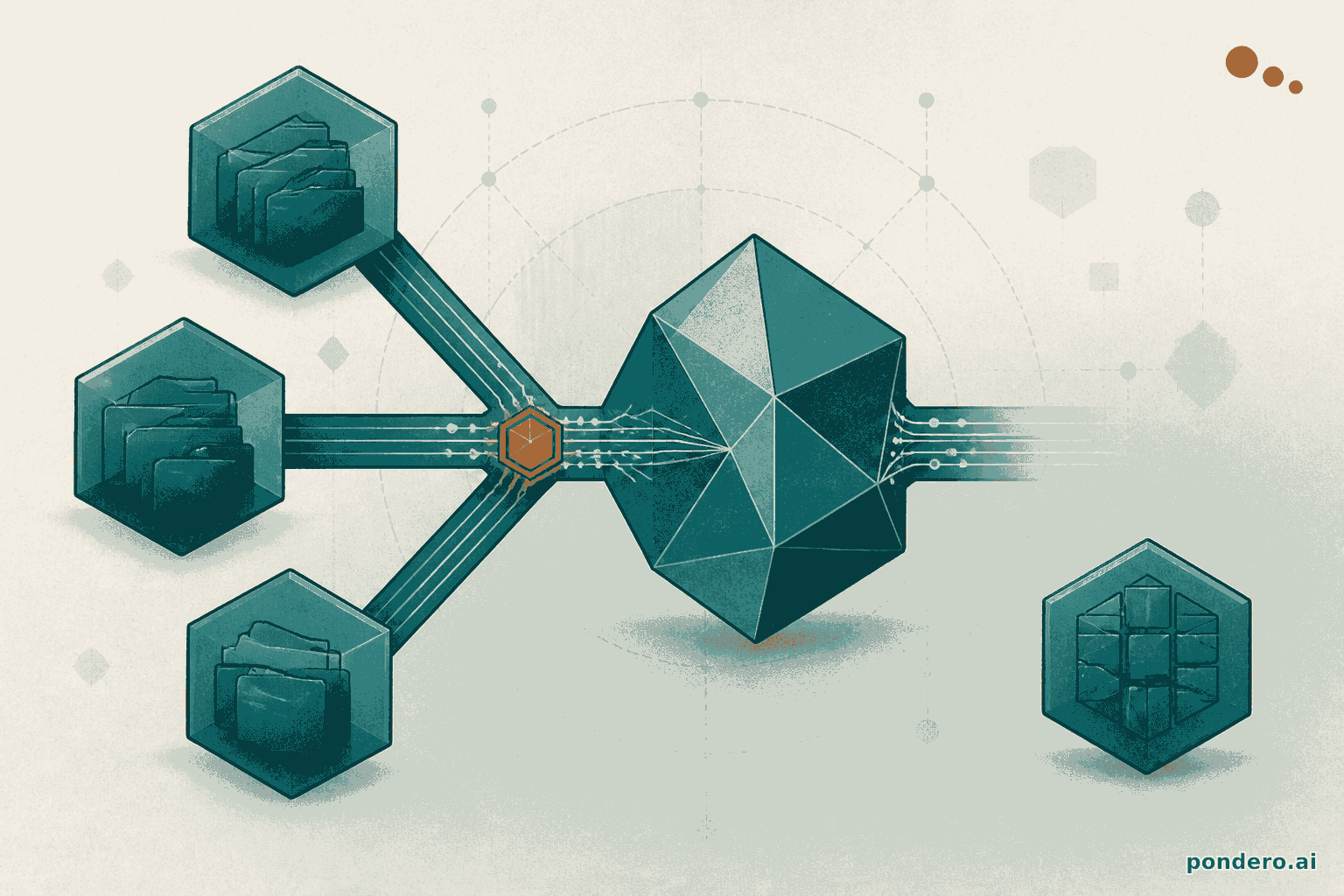
1. Competitive research summary. Today: a researcher opens the competitor's website, a news search tab, and LinkedIn. They spend 10-14 minutes pulling together a short brief. With Comet, one prompt ("Summarize any product or pricing changes at [competitor] in the last 30 days, citing sources") runs across all three sources in under 90 seconds and returns a structured brief with live citations. This is the workflow in the before/after diagram above.
2. RFP or vendor intake triage. Incoming vendor RFPs land in email. Someone has to open the PDF, check the vendor's website for recent funding or news, and cross-reference against internal qualification criteria. Comet can open the PDF inline, pull a funding check from Crunchbase or PitchBook, and draft a pass/fail recommendation in one agent session, with no tab-switching required.
3. Meeting prep packet. Before a client call, a team member opens the CRM record, pulls the company's recent press releases, and checks LinkedIn for the attendees' titles and tenure. Comet handles all three in one prompt given the attendee names and company, returning a structured prep sheet. On iOS (launched March 18, 2026), the same workflow runs on a phone in the car on the way to the meeting.
Those three workflows cover research synthesis, document triage, and meeting prep. They're common enough that almost any 100-person ops team runs all three.
Week 1: pilot scope and persona selection
The pilot group should be 8-12 people, not the whole team. Smaller groups give you real signal without the noise of 100 different use patterns running at once.
Who to pick: choose three personas that represent different workflow types.
| Persona | Primary workflow | Comet use case |
|---|---|---|
| Competitive analyst | Research synthesis | Competitor brief via single prompt |
| BD coordinator | Vendor/RFP triage | Intake screening + recommendation draft |
| Account manager | Client meeting prep | Pre-call research packet |
Week 1 tasks:
- Deploy via MDM using the silent installer. Your IT team can run this against an existing macOS or Windows policy set.
- Connect SSO through your identity provider. SCIM provisioning turns on automatically.
- Set agent action policy to approved domains only for week 1. The pilot group should not have unrestricted agentic actions until you've watched a few sessions in the audit log.
- Kick off a 30-minute onboarding session. Have each persona run their target workflow once, live, with you watching. Note where Comet succeeds and where it stalls.
Deliverable by Friday of week 1: a list of three specific prompts (one per persona) that produced useful output. Those become your week 2 templates.
Week 2: workflow capture and prompt templates
Week 2 is about turning the ad-hoc prompts that worked in week 1 into reusable templates stored in Notion (or wherever your team keeps SOPs).
For each of the three workflows, document:
- The trigger. What event causes someone to run this workflow? (New competitor press release, RFP in the inbox, calendar invite with a client name.)
- The prompt. The exact Comet prompt text, including any variables in angle brackets (e.g.,
<competitor name>,<client company>). - The expected output shape. What does a good result look like? Bullet list, structured table, or prose brief?
- The exception path. What should the user do when Comet returns an incomplete or low-confidence answer?
A sample prompt template for the competitive research workflow:
Summarize any product updates, pricing changes, or executive news at <Competitor Name>
published in the last 30 days. Pull from their official blog, recent press releases, and
LinkedIn company page. Return: (1) a three-bullet summary, (2) any pricing delta vs our
last competitive review, (3) the three most relevant source URLs.
Store these templates where your team already works. Notion is the obvious home if you're already there. By the end of week 2, each of the three pilot personas should be able to run their workflow from a template without referring to you.
Week 2 also surfaces where Comet's action controls need tuning. If your approved-domain list from week 1 is too restrictive and the competitive analyst can't pull from news sources, expand it now.
Week 3: governance, audit logs, and the model-picker policy
By week 3 the pilot group has real usage data in the audit logs. This is the week to sit with your IT lead and review what's actually in there.
Comet Enterprise audit logs capture: the query text, the AI-generated answer, the model used (Opus 4.6 vs. Sonnet 4.5 vs. GPT-5.4), the mode (research vs. agentic action), and the sources cited. For Enterprise Pro and Max plans, this data is available to admins through the central dashboard.
Three governance questions to answer in week 3:
1. Which model should be the default for which persona? Claude Opus 4.6 produces better synthesis on long-form research tasks. Claude Sonnet 4.5 is faster and cheaper, which makes it the right call for high-volume, shorter tasks like meeting prep packets. Set a per-team default in the admin panel rather than leaving model selection to individual users. Otherwise you'll get inconsistent output quality and unpredictable credit burn.
2. Where do you need human approvals? Comet's agent action controls let you require a confirmation click before any agentic action outside your approved domain list. Turn this on for any workflow that involves form submission, email drafting, or calendar interaction. Research-only workflows (read + summarize) don't need it.
3. What goes in the acceptable-use policy for Comet? Your existing browser AUP probably doesn't cover AI agents taking actions on behalf of users. Week 3 is the right time to draft a two-paragraph addendum. Cover: approved workflows, prohibited actions (no agentic access to password-protected systems outside approved domains), and the escalation path if Comet does something unexpected.
The CrowdStrike Falcon integration handles the device layer. But governance is a people and policy problem first.
Deliverable by Friday of week 3: a governance one-pager covering default model assignments, the approved-action domain list, and the AUP addendum. Get sign-off from IT and legal before week 4.
Week 4: measure time saved per workflow and decide on rollout
The only metric that matters in week 4 is time saved per workflow per person per week. Ask each of the three pilot personas to log the following for their five most recent workflow runs:
- Time from trigger to finished output, with Comet.
- Estimated time the same task would have taken with the old tab-switching process.
You don't need a sophisticated tracking system. A shared Google Sheet with five rows per persona is enough for a 30-day pilot decision.
What good looks like: 60-70% time reduction on research synthesis and meeting prep. The competitive research workflow we described earlier, 14 minutes down to 90 seconds, is roughly a 90% reduction, but that's the clean case. Real-world runs with complex queries or edge-case sources will land closer to 60%.
If the three workflows show meaningful time savings and the governance review from week 3 is clean, you have what you need to make the rollout call. At 100 seats, Enterprise Pro at $40/seat/month is $4,000/month. If your pilot shows each of 100 knowledge workers saves 30 minutes per week on these three workflows, that's 50 hours per week, or roughly $2,500/week at a conservative $50/hour loaded cost. The math closes fast.
If the pilot shows mixed results, don't roll out everything. Expand only the workflows that hit the time-saving threshold.
Where Comet stops and Beehiiv, Notion, or n8n start
Comet is a browser agent. It's built to research, synthesize, and take lightweight actions inside a browser session. It is not a workflow orchestrator, a newsletter platform, or a data pipeline tool. The handoff points matter.
Beehiiv. If you're using Comet to synthesize competitive or industry research, that output often feeds a newsletter. Comet can draft the research brief. Beehiiv handles the subscriber list, send scheduling, and monetization. The workflow: Comet produces the draft, a human edits it, Beehiiv publishes it. Don't try to make Comet manage subscriber segments or automation sequences. That's what Beehiiv's automation layer is for.
Notion. Comet doesn't have persistent memory across sessions in the same way a database does. Your prompt templates, workflow documentation, and pilot findings from weeks 1-3 belong in Notion, not in Comet. Use Comet to generate content; use Notion to store and version it.
n8n. If you want to trigger a Comet workflow automatically, say every time a competitor publishes a press release, you need an orchestration layer. n8n can watch an RSS feed, detect a new item, and kick off a prompt to Comet's API. Comet doesn't poll or schedule; it executes on demand.
The practical boundary: Comet owns the single-session research and action tasks. Anything that requires persistence, scheduling, or multi-system coordination needs a connector layer on top.
The agentic browser landscape in May 2026
Comet is not the only agentic browser in the market. The category has three distinct camps as of May 2026.
Distribution plays: Comet (Perplexity) and Atlas (OpenAI). Both are backed by companies with large existing user bases and the ability to bundle the browser into an existing subscription. Comet launched in July 2025. OpenAI launched Atlas in October 2025 after shutting down the original Operator product in August 2025. Operator struggled with JavaScript-heavy sites, CAPTCHAs, and complex session management. Atlas took a more conservative approach to agentic actions as a result.
Rethink-the-browser plays: Arc and Dia. These teams are rebuilding the browser from scratch around AI-native paradigms rather than layering agents onto a Chromium fork. Slower to ship enterprise features, but potentially more architecturally coherent long-term.
Niche plays: Brave Leo and Opera Neon. Privacy-first and power-user positioning, respectively. Neither is targeting enterprise ops teams as a primary segment.
Comet's enterprise advantage right now is the combination of research depth (Perplexity's core competency since 2022), the model-picker flexibility that enterprise buyers want, and the CrowdStrike integration that gets past the security objection in regulated industries. Atlas competes on OpenAI brand recognition and GPT-5.4 access, but doesn't yet have an equivalent to Comet's CrowdStrike partnership or the HIPAA alignment.
One legal note worth tracking: a U.S. district court issued a preliminary injunction on March 10, 2026, blocking Comet from accessing password-protected Amazon accounts, citing likely Computer Fraud and Abuse Act violations. This doesn't affect the three workflows in this plan (all three are read/research tasks against public or employer-provided sources) but it's a real signal about where agentic browsers hit legal boundaries. Build your approved-domain list with that precedent in mind.
The call, with the conditions that flip it. Buy Comet Enterprise Pro if three things hold: your ops work is research-synthesis-heavy, you already run Perplexity inside the org so the security review is half-done, and IT can push an MDM policy without a quarter of lead time. The decision flips to "wait" in two specific cases. First, if more than a third of your target workflows write data (form submission, email send, calendar edits) rather than read it, because the March 10, 2026 CFAA injunction over password-protected Amazon access marks exactly where agentic-write is legally live and Comet's value here is the read path. Second, if your stack is OpenAI-committed at the contract level, Atlas's GPT-5.4 access plus existing OpenAI billing can outweigh Comet's research depth, and the only thing that holds you back is the missing CrowdStrike and HIPAA story, so the flip is conditional on your compliance bar. Outside those two cases, run the four-week plan and let the week-4 number, not this article, make the call.