Table of Contents
Is GitHub Agentic Workflows safe to enable? A configuration audit for engineering leads
GitHub Agentic Workflows left public preview for general availability on October 28, 2026, and the GA release quietly changed the default answer to this guide's original question. Public repositories now filter out issue and pull request content from outsiders before an agent ever reads it, unless an org already loosened that gate. That closes a real chunk of the exact path the GitLost prompt injection flaw used in July, where an attacker with no special access read private repositories by posting a single public issue. It does not mean the hole is gone: GitHub still has not published a fix, advisory, or CVE naming GitLost, and the seven checks below still catch the configurations that reopen what the new default just closed.
Most teams do not need to disable the feature. The dangerous part is the default configuration, not the capability itself, and every setting that matters sits in your workflow YAML or your org settings. The seven checks below cover which ones to change, ordered by how much safety each one buys per minute of work; a new section after the audit covers what GA changed and what to verify first.
What makes Agentic Workflows a different attack surface
A normal GitHub Actions runner reads environment variables and files and runs the script you wrote. It does not interpret human language, so a hostile sentence in an issue is just a string it ignores. The Agentic Workflows agent is the opposite: its whole job is to read unstructured human language from issues, pull request descriptions, and comments, then call tools that can read files and post content. So the attack surface moves from the runner's execution environment to the text the model reads. Noma Security put it plainly in their disclosure: the agent's context window is also its attack surface (Noma Security, July 6 2026). A crafted issue body is executable input the same way a crafted string was to an unparameterized SQL query. The workflow agent can be backed by GitHub Copilot, Anthropic's Claude, Google Gemini, or OpenAI Codex (The Hacker News, July 7 2026), so swapping the model does not close the hole. Every one of them follows instructions it finds in its context, which is both what the feature is for and why it is exposed.
The GitLost attack chain
Here is what Noma Labs demonstrated. A researcher opened an ordinary looking issue in a public repository, dressed up as a routine request from a VP of Sales after a customer call (Noma Security). The vulnerable workflow was set to trigger on the issues.assigned event, read the issue title and body, and reply with a comment. It also carried read access to the organization's other repositories, public and private (SecurityWeek, July 2026). Once a routine automation assigned the issue, the agent read the planted instructions, pulled the README.md from a private repo, and posted the contents as a public comment (The Register, July 7 2026). No credentials, no code, no write access to anything.
GitHub built guardrails to stop exactly this. Prefixing the malicious instruction with the word "Additionally" was enough to slip past them, because the model treated the injected text as a follow-on task instead of refusing it (The Hacker News, July 7 2026).
The 7-step permission audit
Run these against every Agentic Workflow file in your org, in order. The YAML lives in the .github/workflows/ Markdown files that compile to .yml, and the org settings live in your GitHub organization admin panel.
1. Trigger scope. Check what fires the workflow. The unsafe pattern is a trigger that untrusted, externally authored content can drive, which is exactly the issues.assigned event GitLost abused: an org automation assigns an outsider's issue and the agent wakes up on hostile text. The safe pattern is a trigger a trusted human applies deliberately, gated to repository roles. GitHub Agentic Workflows lets you restrict triggers with a roles: field on the on: block, which defaults to [admin, maintainer, write] (gh-aw frontmatter reference, fetched July 12 2026). Note the gap the default leaves open: the roles: gate applies to whoever performs the triggering action, so on issues.assigned an internal automation or a write-level bot doing the assigning satisfies the gate while the hostile content still arrives from an outsider's issue body. Prefer a label trigger that only maintainers can attach, and tighten the role list:
# Safer trigger: a maintainer-applied label, gated to trusted roles
on:
  issues:
    types: [labeled]
  roles: [admin, maintainer]
That default role list has not changed at GA; it is still [admin, maintainer, write] as of this update (GitHub Agentic Workflows triggers reference, fetched October 31, 2026). GA does add one backstop: workflows triggered by push, issues, or pull_request now get permission checks enforced automatically by the compiler, and a failed check cancels the run with a warning instead of proceeding. Treat that as a safety net for a missing role gate, not a substitute for setting roles: deliberately.
2. Repository scope. Look at the permissions: block, which controls the read access the agent gets for the natural-language part of the run. Unsafe is a broad grant: read-all, or a cross-repo token that hands the agent org-wide read into private repositories. The GitLost workflow had precisely that cross-repo read, which is what turned a public issue into a private data leak. Safe is least privilege scoped to the current repository, and {} when the agent needs no repo read at all. The read scopes include contents, issues, and pull-requests, and the product is read-only by default (gh-aw permissions reference, fetched July 12 2026):
permissions:
  contents: read   # current repo only; do NOT wire in an org-wide token
GA has not changed this default either: the product is still read-only unless a workflow opts into safe-outputs: for writes (GitHub Agentic Workflows permissions reference, fetched October 31, 2026). Re-check this step anyway; it is the one that turned a public issue into a private-repo leak in July, and nothing about GA stops a workflow author from granting read-all again.
3. Agent posting. Check where the agent is allowed to write. GitHub routes all writes through a safe-outputs: block that runs in a separate, permission-controlled job with a threat-detection step and text sanitization (gh-aw safe outputs reference, fetched July 12 2026). Unsafe is letting add-comment post back to a public issue thread that contains user-controlled text, because that is the exfiltration channel GitLost used. Safer is to keep public commenting off on user-authored issues and restrict the agent to commenting on pull requests opened by repo collaborators, where the input is not anonymous internet content. If a workflow must post publicly, treat every field it can echo as attacker-controlled.
GA also shipped the Agent Workflow Firewall, which boxes the agent in a container and routes its network traffic through a proxy with a domain allowlist, built to stop a compromised agent from phoning out to an attacker's own server (GitHub Agentic Workflows security architecture, fetched October 31, 2026). That does not change this step's math. GitLost's exfiltration channel was a comment posted back to github.com itself, a domain any legitimate workflow needs on its allowlist anyway, so the firewall has no reason to block it. The safe-outputs: posting rules above are still the control that actually matters for this attack.
4. Input sanitization. Check what you assume GitHub is scrubbing for you. GitHub runs a content sanitization pipeline that neutralizes @mentions, converts HTML tags, strips control characters, filters URIs down to HTTPS on trusted domains, and caps payloads at 0.5MB or 65,000 lines before the text reaches the agent (GitHub Agentic Workflows security architecture, fetched October 31, 2026). None of that touches plain English, which is exactly what GitLost proved: the sanitizer blocks markup and link tricks, not a sentence that happens to start with "Additionally." Noma's first recommendation is to never treat user-controlled content as trusted instruction input, and to sanitize or isolate that input from the instruction context before it hits the model (Noma Security). Unsafe is relying on the built-in guardrails as your only defense. Safe is treating the whole issue body as data, not instructions, and keeping your own auto-scan on the pipeline. If you already run auto-scan for agent-generated PRs, extend that discipline to issue-triggered runs.
5. Organization isolation. Map which repos share an org with the workflow. The dangerous combination is a single GitHub org that holds both public-facing repos, where anyone on the internet can open an issue, and private repos with sensitive IP, paired with an agent that has cross-repo read. That is the exact shape GitLost turned into a leak. Safe is separating those concerns: keep public-facing projects in a different org from the private codebase, or refuse to grant any workflow cross-org read when both live together. This one is org structure, not a YAML key, and it is the check most teams skip.
6. Workflow installation scope. Check the GitHub App or installation that backs the agent. In the app's settings under repository access, unsafe is "All repositories," which silently gives the agent reach into every repo you own. Safe is "Only select repositories" scoped to the minimum set the workflow actually needs. Open your org settings, go to GitHub Apps or Installed apps, and confirm the agent installation is not sitting on org-wide access it never uses.
7. Audit log review. Trace what the agent has already done. Your org audit log records agent comment activity, and a review of the last 30 days tells you whether anything odd has already posted. Go to org settings and open the audit log under Logs, then filter for the workflow's actor. On GitHub Enterprise you can pull the same data from the API:
# Review recent agent activity for signs of exfiltration
gh api "/orgs/<YOUR_ORG>/audit-log?phrase=action:issue_comment&per_page=100"
Look for comments the agent posted onto public issues that contain file contents or repo paths. That pattern is the fingerprint GitLost leaves behind.
A new default closes one credential-leak path, not the GitLost one
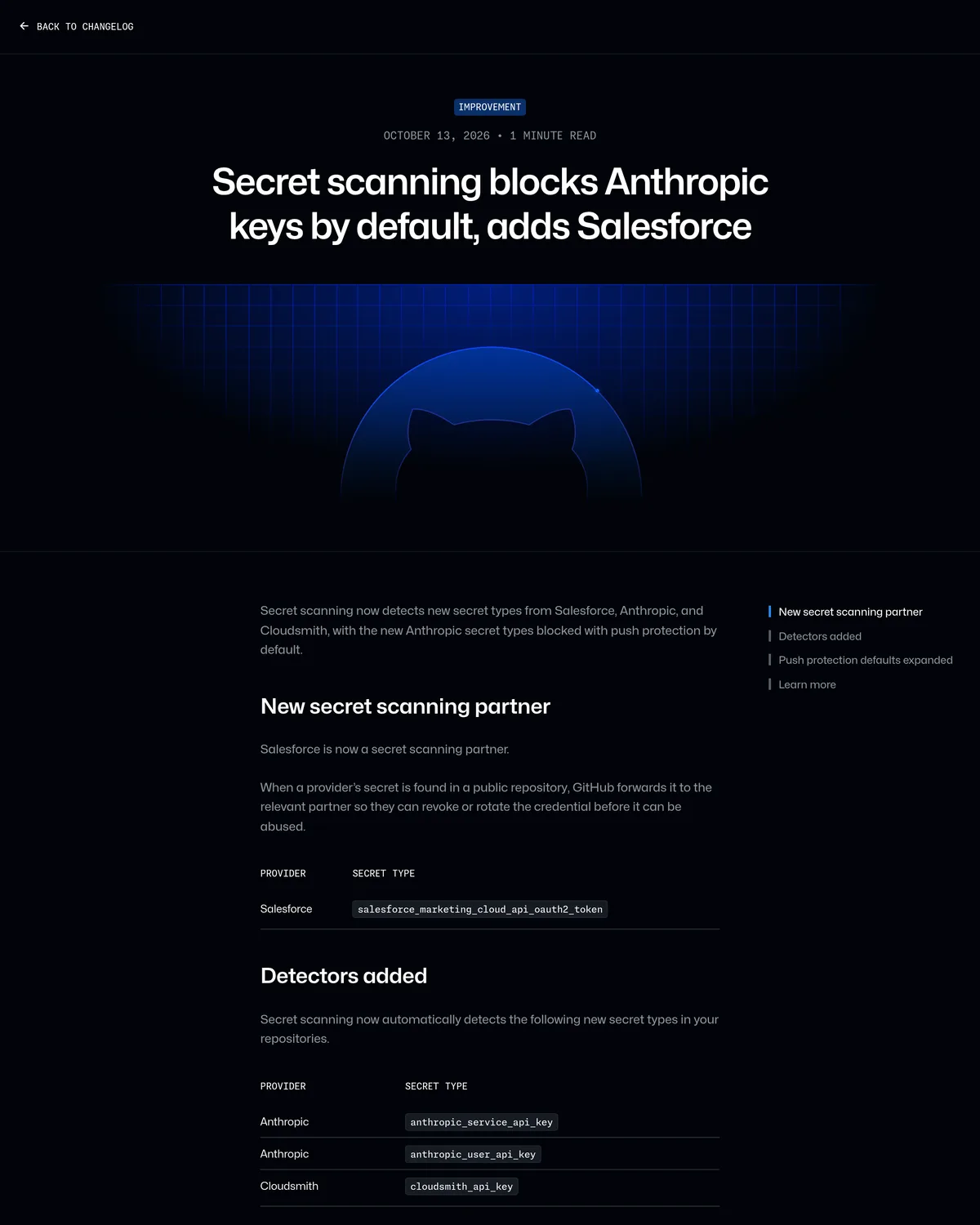
On October 13, 2026, GitHub turned on push protection by default for two secret types: anthropic_service_api_key and anthropic_user_api_key. Any repo with secret scanning enabled, including free public repositories, now blocks a commit containing a leaked Anthropic key the moment someone tries to push it (GitHub changelog, October 13 2026). GitHub also added Salesforce as a secret-scanning partner: when a salesforce_marketing_cloud_api_oauth2_token turns up in a public repo, GitHub now forwards it to Salesforce so the credential can be revoked or rotated, and it added detection (not default push protection) for a Cloudsmith API key (GitHub changelog, October 13 2026).
 Source: github.blog, captured October 14, 2026.
That matters here because an Agentic Workflows run backed by Anthropic's Claude needs an Anthropic API key configured as a secret somewhere in your repo or org. Until this update, a developer who hardcoded that key in a workflow file or a test script instead of referencing it as a secret could push it straight into a public repo with nothing stopping the commit. Now that push gets rejected by default.
Keep the scope of that fix in view: it stops an accidental plaintext key from landing in your git history. It does nothing for GitLost. GitLost does not need a leaked key at all; the agent already holds a live, legitimate cross-repo read token, and the attack works by feeding it hostile instructions through an issue it is allowed to read. Default push protection on Anthropic keys and the seven-step audit above cover two different holes: one blocks a credential from leaking into a commit, the other closes the path that lets an attacker walk the agent's existing permissions into a private repo without ever touching a credential.
GA ships a default filter that blocks most of the GitLost path
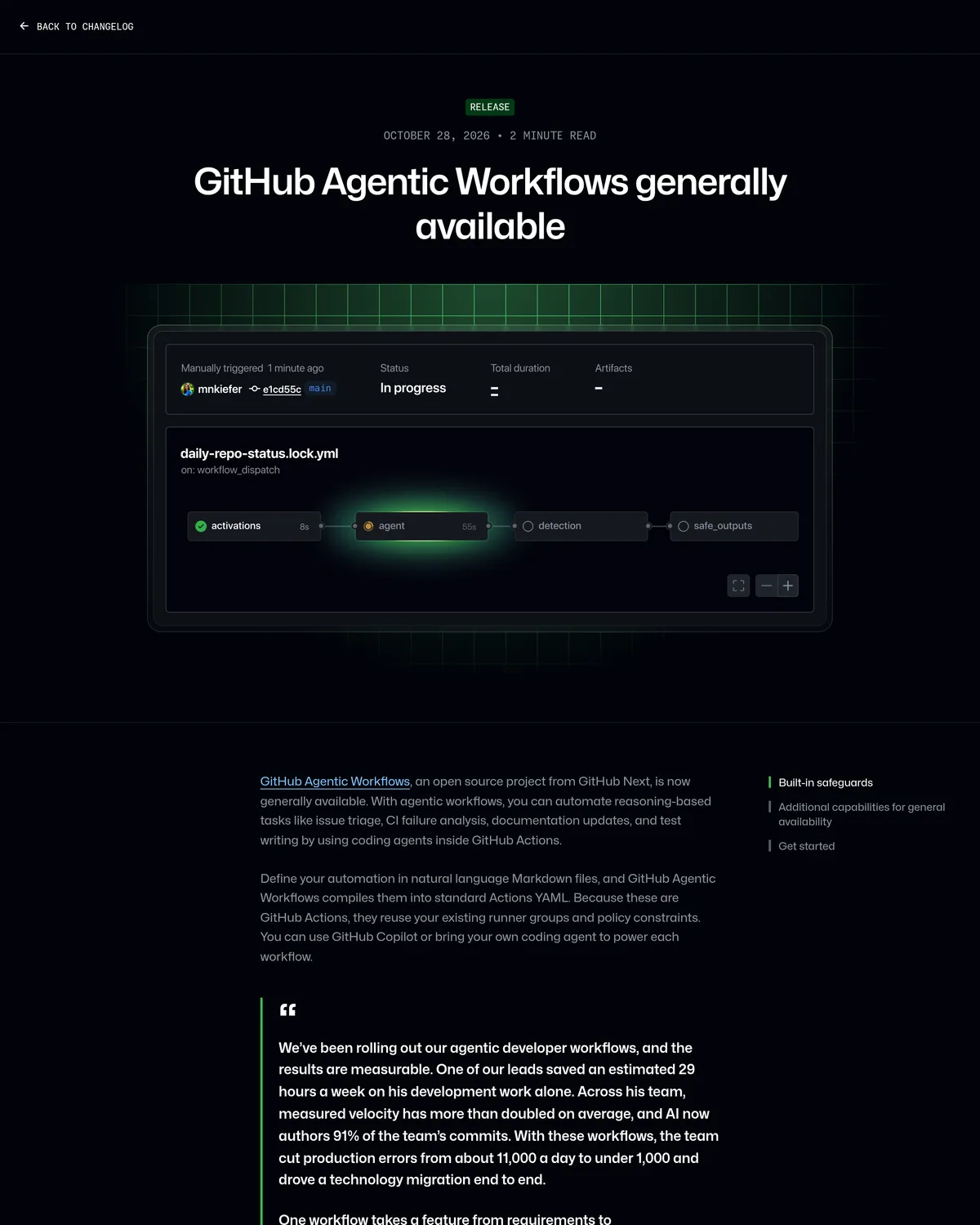
One October 28 change sits underneath all seven steps above and most workflow authors will never see it in their own YAML. GitHub Agentic Workflows now runs an integrity filter in front of every GitHub tool call, and on public repositories the filter is on by default (GitHub Agentic Workflows integrity reference, fetched October 31, 2026).
 Source: github.blog, captured October 31, 2026.
The filter sorts every issue, PR, and comment into one of five trust tiers, and content below the configured floor never reaches the model:
| Tier | Who qualifies | Reaches the agent by default on a public repo? |
|---|---|---|
merged | Merged PRs; commits on the default branch | Yes |
approved | Owners, members, collaborators; non-fork PR authors; anyone on trusted-users | Yes (this is the default floor) |
unapproved | First-time or outside contributors | No, unless the floor is lowered |
none | Anyone, including brand-new accounts | No, unless the floor is lowered |
blocked | Usernames on blocked-users | Never |
Source: GitHub Agentic Workflows integrity reference, fetched October 31, 2026.
Unless a workflow sets min-integrity explicitly, a public repo defaults to the approved floor. That is close to the exact profile of the GitLost researcher: an outside account with no collaborator access, posting a public issue (Noma Security). Under the GA default, that same issue would land at unapproved or none and get filtered out before the model reads a word of it, unless the org already set min-integrity: none, added the account to trusted-users, or let an approval-labels label promote the issue into the agent's context. None of those three overrides is rare. The label override exists precisely so a maintainer can promote a legitimate external bug report, and a careless or compromised maintainer account recreates the original hole.
So the honest read on GitLost is: GitHub has not published a fix, advisory, or CVE that names it. What changed is the default underneath it. Verify that default is actually live in your workflows before you trust it:
# Flag any workflow that loosens or disables the GA default filter
grep -rn "min-integrity: none\|min-integrity: unapproved\|trusted-users:\|approval-labels:" .github/workflows/*.md
A hit on min-integrity: none or min-integrity: unapproved means that workflow is still running on the pre-GA trust model, and it needs the full seven-step audit above. A hit on trusted-users or approval-labels means someone decided a specific account or label should bypass the filter; confirm that list is still accurate and that the label can only be applied by a role you trust, not by the same automation that assigned the issue in the GitLost chain. If you are running the default GitHub Copilot CLI engine to power any of this, GA also formalized that it requires a Copilot license per workflow (GitHub Changelog, October 28 2026); our Copilot review breaks down which plan actually includes CLI and agent access.
pull_request_target blocks by default December 2; the first live test is November 9
This is a different GitHub Actions change from everything above, not an Agentic Workflows setting, but it closes the same shape of hole: a trigger that lets a stranger's fork run code inside a job that holds your secrets. Starting December 2, 2026, GitHub Actions blocks the pull_request_target event by default in every public repository unless an Actions event policy explicitly allows it (GitHub Changelog, November 2 2026). pull_request_target runs in the base repository's context and can read its secrets, so any workflow that checks out and executes fork code under that trigger hands an outside contributor a path to your pipeline's credentials, the exact trust-boundary failure Step 1 above warns about for Agentic Workflows triggers. GitHub had originally planned to flip this on November 2 and pushed the date to December 2 instead, per the same changelog entry.
Before the permanent cutover, GitHub is running two brownout windows that enforce the block early so maintainers can see what breaks:
| Date | Time (UTC) |
|---|---|
| November 9, 2026 | 16:00 to 18:00 |
| November 16, 2026 | 16:00 to 18:00 |
During each window, a pull_request_target run that the default rule would block fails outright with an error annotation instead of just a warning; the workflow does not execute. The rule drops back to evaluate mode, warnings only, once the window closes, until the next brownout or the permanent December 2 enforcement.
The November 9 window is the one worth acting on this week. If your org runs public repositories with a pull_request_target workflow, check GitHub's Insights panel now to see which runs the rule would block, then make one of two calls before 16:00 UTC on November 9: leave the default block in place, or explicitly allow pull_request_target for the specific workflows that depend on it through an Actions event policy, scoped by workflow file (see GitHub's guide to controlling workflow execution). The change applies to public repositories on GitHub Free, Team, and Enterprise Cloud; private repos, internal repos, and GitHub Enterprise Server are not affected (GitHub Changelog, November 2 2026).
Has GitHub fixed GitLost yet?
As of this update (October 31, 2026), GitHub still has not shipped a fix, assigned a CVE, or published a security advisory that names GitLost. The Register reported the vulnerability as unresolved at disclosure, noting there was no fix and no documentation change at the time (The Register, July 7 2026), and Noma's researcher said the proposed remediation was a documentation callout about API key sharing between repos that had not landed. That status has not changed since. The GA release notes for October 28 list the integrity filter, the Agent Workflow Firewall, and a dedicated threat-detection job as built-in safeguards for every workflow on the product, but none of them mention GitLost by name, and GitHub has not retroactively classified the July disclosure as resolved (GitHub Changelog, October 28 2026). Treat the new defaults above as a meaningful mitigation, not a closed ticket. Watch the same two places for a real fix: your org security advisories page, and the GitHub Copilot changelog. If GitHub does publish an advisory naming GitLost, its steps supersede the workarounds in this piece.
When to disable and use something else
Run the seven checks. If the audit shows a workflow that genuinely needs org-wide cross-repo read and has to post public comments on issues anyone can open, configuration alone will not save you. That combination is the vulnerability, and no YAML key removes it. For those cases, move the work to a tool where the trust boundary is enforced by permissions instead of the model's judgment.
For code-level agent work, Cursor runs the agent inside the developer's IDE with local file-level permissions. There is no path from a stranger's public issue to org-wide repo exfiltration, because the agent never reads anonymous internet content as instructions. Teams that were leaning on Agentic Workflows for refactors and triage get most of that value with none of the GitLost attack chain. If you want the GitHub-native comparison first, our Copilot review covers where Copilot's agent fits.
For ops and workflow automation, Make builds multi-step automations on a visual canvas where each module's data access is set explicitly. A GitHub issue can still trigger a Make scenario through a webhook, but no AI agent reads the issue body as a command with standing repo credentials. You grant data access per module, per call, and you can see the whole path on one screen.
Keep Agentic Workflows for internal, collaborator-only repos where every issue author is already trusted. For anything that touches the public internet and private code in the same org, the safer build is an agent that cannot cross that line by design.
What changed
- November 3, 2026: Added a section on GitHub's separate, non-Agentic-Workflows change that blocks the
pull_request_targettrigger by default in public repositories starting December 2, 2026, with brownout enforcement windows on November 9 and November 16, 2026, 16:00 to 18:00 UTC (GitHub Changelog). Flagged the November 9 window as the one to act on this week. - October 31, 2026: Updated for GitHub Agentic Workflows graduating from public preview to general availability on October 28, 2026 (GitHub Changelog). Added a section on the new default integrity filter, which blocks most of the GitLost attack profile on public repos unless an org has already loosened it. Confirmed the 7-step audit's trigger-role default (
[admin, maintainer, write]) and read-only permissions default are unchanged at GA, and noted the compiler's new automatic permission-check enforcement on unsafe triggers. Added the Agent Workflow Firewall's network-egress scope to Step 3, and confirmed it does not cover the GitLost comment-posting channel. Confirmed GitHub still has not published a fix, advisory, or CVE naming GitLost specifically. - October 14, 2026: Added a section on GitHub's October 13 update that turns on default push protection for
anthropic_service_api_keyandanthropic_user_api_keyin any repo with secret scanning enabled, including free public ones, and adds Salesforce as a secret-scanning partner (GitHub changelog). This closes a credential-leak path for Anthropic-backed workflows; it does not patch GitLost, which still requires the seven-step audit above.